
8 Best WordPress Multi-Vendor Plugins for your marketplace in 2026
Estimated reading time: 21 minutes
If you want to build an online marketplace with WordPress, the plugin ecosystem gives you several mature, well-supported options. The challenge is that the tools built for a WooCommerce product store are completely different from the tools built for a booking platform, a service directory, or a course marketplace. Choosing the wrong category means rebuilding from scratch. That said having to choose from various WordPress multi-vendor plugins is very important for any type of marketplace.
This guide covers 8 of the best WordPress multi-vendor plugins in 2026, organized by marketplace type, with verified pricing, honest trade-offs, and a clear decision framework for each one.
Which Marketplace Model Are You Building?
Getting the category right before picking a plugin saves a lot of rework. WordPress multi-vendor plugins fall into six distinct types:
Booking and service SaaS: You operate the platform; other businesses subscribe and manage their own booking calendars under your brand. You earn subscription fees and platform commissions. Reference model: a regional equivalent of Fresha for salons, or a niche appointment aggregator for healthcare clinics, tutors, or fitness studios.
Social media scheduling SaaS: You operate a white-label social media scheduling platform; businesses and creators subscribe to schedule and publish posts across social networks under your brand. Reference model: a regional or niche alternative to Buffer or Later.
WooCommerce product marketplace: Vendors list and sell physical or digital products through WooCommerce. Customers browse, add to cart, and check out. Reference model: Etsy, Amazon Marketplace.
Service and listing directory: Vendors create browsable profiles with reviews, contact options, and optional booking. Customers search and filter by location, category, or price. Reference model: Yelp, Fiverr, Airbnb.
Course and education marketplace: Multiple instructors publish and sell courses, manage students, and earn commissions on enrollments. Reference model: Udemy, Teachable.
Digital product marketplace: Vendors sell downloadable files: plugins, themes, ebooks, fonts, audio, stock graphics. Reference model: Creative Market, Envato.
Identify your category first. Then pick the plugin designed for it.
At-a-Glance Comparison
| Plugin | Marketplace Type | Free Version | Starting Price | Best For |
|---|---|---|---|---|
| Booknetic SaaS | Booking / Service SaaS | No (5-day sandbox) | $499/year | Multi-tenant booking platform |
| FS Poster SaaS | Social media scheduling SaaS | No | $499/year | White-label social scheduling platform |
| Dokan | WooCommerce product | Yes | $149/year | WooCommerce marketplace, wide module library |
| WC Vendors | WooCommerce product | Yes | $99.50/year (intro) | Stable, simpler WooCommerce setup |
| HivePress | Service directory | Yes | $99/year (bundle) | Freelancer and service listing marketplace |
| Directorist | Niche directory | Yes | $116/year | Local business directory, all-in-one pricing |
| Tutor LMS | Course / Education | Yes | $199/year | Multi-instructor course marketplace |
| Easy Digital Downloads | Digital products | Yes | $159.60/year first year (Extended) | Plugin, theme, and digital file marketplace |
Pricing checked on 10 September 2026. Verify at each vendor’s site before purchasing.
1. Booknetic SaaS
Marketplace type: Booking and service SaaS platform
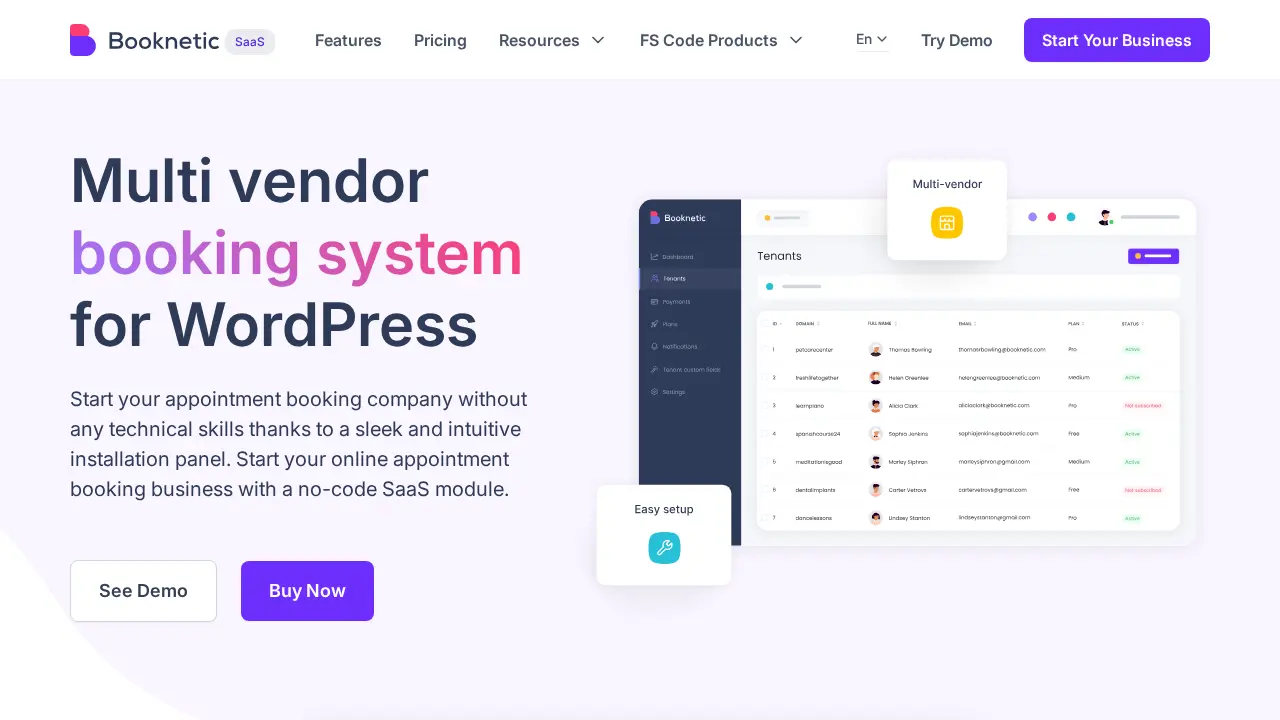
Booknetic SaaS occupies a distinct category among WordPress multi-vendor plugins. Where the other tools in this list help you build a storefront, directory, or content library for vendors, Booknetic SaaS gives you the infrastructure to become a platform operator yourself.
You install it on your WordPress server, configure subscription plans, and open your platform to tenant businesses. Salons, fitness studios, tutors, healthcare clinics, cleaning services, and legal professionals can each sign up as paying tenants. Each gets their own isolated booking dashboard, their own booking URL, their own service and staff management, and their own QR code. You collect subscription fees, earn platform commissions on transactions, and manage everything under your own brand.
This model differs fundamentally from a WooCommerce marketplace: vendors are not listing products, they are running independent booking businesses on your platform. If you want to build the booking infrastructure for a niche vertical, such as a regional appointment aggregator for therapists and trainers, or a branded booking network for a specific industry, Booknetic SaaS is designed for exactly that.
Key features
- Multi-tenant architecture: each tenant has a fully isolated booking environment with its own URL, calendar, service menu, staff, customers, and QR code
- Plan builder with 60+ permission toggles: control which payment gateways, notification channels, staff slots, services, and add-ons each subscription tier includes
- Stripe SaaS subscription billing for tenant subscriptions, with multi-currency support, 3DS authentication, Apple Pay, and Google Pay
- Stripe Connect splits payments with a configurable platform fee percentage per booking transaction
- Tenant Directory: a public-facing page listing all your vendors with links to their individual booking pages
- Ready-Made Tenant Templates: pre-configure a baseline setup that auto-applies to every new tenant signup
- Affiliate program: tenants can earn commissions for referring new vendors to your platform
- White-label admin panel (all plans): your logo, custom admin slug, and branded help documentation URL
Pros
- Purpose-built for multi-tenant booking SaaS; few WordPress plugins combine tenant subscription billing, 60+ plan permission controls, and white-label branding in a single tool
- No per-tenant usage fees within your plan limits; Ultimate and Infinity plans include unlimited tenants
- A 5-day fully featured sandbox lets you test the platform before purchasing any plan
- Covers a wide range of service verticals: beauty, fitness, healthcare, tutoring, legal, cleaning, corporate
Cons
- Starting price ($499/year for 5 tenants) is the highest entry point in this list; this is platform infrastructure, not a single-business booking tool
- Setup requires server administration experience: SMTP configuration, Stripe keys at two separate layers, and hosting management
- Not designed for physical product sales, digital downloads, or course content delivery
- Starter plan caps at 5 tenants; operators planning to scale quickly should budget for the Ultimate plan from the start
Pricing
| Plan | Annual | Lifetime | Includes |
|---|---|---|---|
| Starter | $499 | $999 | 5 tenants |
| Ultimate | $1,199 | $2,399 | Unlimited tenants |
| Infinity | $1,999 | $3,399 | Unlimited tenants, all 50+ add-ons, priority support |
A 5-day sandbox with all add-ons enabled is available before purchasing.
Best for: Entrepreneurs and agencies building a multi-tenant booking platform where multiple independent businesses need isolated dashboards, subscription billing, and branded booking infrastructure under your platform.
2. FS Poster SaaS
Marketplace type: Social media scheduling SaaS platform

FS Poster SaaS turns the FS Poster social media scheduling plugin into a white-label, multi-tenant platform. Instead of vendors selling products or listing services, your tenants are businesses and creators who subscribe to schedule and auto-publish their social media content across 26 networks from a dashboard branded as yours.
You install it on WordPress, define subscription plans with monthly or yearly pricing and trial periods, and open sign-ups. Each tenant gets an isolated workspace with its own connected social accounts, calendar, and posting limits, and tenants never see each other or the operator panel. Billing runs through your own Stripe and PayPal accounts or a prepaid wallet balance, and all revenue goes to you with no per-tenant fees or revenue share.
The model is the same platform-operator idea as Booknetic SaaS, applied to social media management: a regional or niche alternative to tools like Buffer or Later, run on your own hosting under your own brand.
Key features
- Multi-tenant architecture: isolated workspaces with per-tenant social accounts, calendar, and post history
- Plan builder: set which of the 26 social networks, channel limits, post limits, AI access, analytics, calendar, and watermarks each subscription tier includes
- Stripe and PayPal subscription billing plus a wallet balance for prepayment, with automatic invoicing and renewals
- Configurable trial periods and fallback plans for expired subscriptions
- White-label name, logo, custom admin URL slug, and lifecycle emails from your own domain (Ultimate and Infinity)
- Operator dashboard with tenant counts, subscription status, and monthly revenue
- Tenant-side scheduling: multi-channel posting with per-network customization, a calendar view, and AI captions, hashtags, and images (plan-dependent)
- Runs on standard WordPress hosting with no separate server, queue, or database; the FS Poster core plugin is downloaded automatically during setup
Pros
- Purpose-built multi-tenant social scheduling SaaS with billing, plan permissions, and white-label branding in one plugin
- Unlimited tenants on every plan with no per-tenant fees or revenue share
- 26 social networks available to tenants, including Instagram, TikTok, LinkedIn, Pinterest, YouTube, Bluesky, and Mastodon
- No separate infrastructure to run: standard WordPress hosting is enough
Cons
- Starting price ($499/year) is platform infrastructure pricing, not a single-business scheduling tool
- Starter excludes white-label branding, AI integrations, and five channel types: Facebook groups, YouTube Shorts, YouTube Community, Google Business profiles, and LinkedIn company pages
- Not designed for product, directory, or course marketplaces
- Launched in 2026, so it has a shorter track record than the WooCommerce marketplace plugins in this list
Pricing
| Plan | Annual | Lifetime | Includes |
| Starter | $499 | $999 | Unlimited tenants, 26 essential networks, 6 months of support |
| Ultimate | $1,199 | $2,399 | Unlimited tenants, all networks, white-label, AI integrations, 1 year of support |
| Infinity | $1,999 | $3,399 | Same feature set as Ultimate |
Every plan covers unlimited tenants with no per-tenant fees.
Best for: Agencies, hosting companies, and entrepreneurs who want to sell social media scheduling as their own branded subscription service, where each customer manages their own social accounts and calendar on your platform.
3. Dokan
Marketplace type: WooCommerce product marketplace

Dokan is among the most widely installed WooCommerce multi-vendor plugins, with 30,000+ active installs on WordPress.org and a 4.6/5 rating from 768 reviews. The free tier, Dokan Lite, covers unlimited vendors, a frontend vendor dashboard, order management, and basic commissions, making it practical for testing a marketplace concept before investing in a paid plan.
Paid tiers add modules. The Professional plan (23 modules) adds Stripe Express and PayPal Marketplace for automated vendor payouts. The Business plan (42+ modules) adds geolocation product and vendor search, a staff manager for multi-team vendors, product Q&A, WooCommerce Bookings integration, and auction support.
Key features
- Unlimited vendors on all tiers, including free Dokan Lite
- Frontend vendor storefronts with store URLs, custom branding, coupons, and shipping policies
- Automated vendor payouts via Stripe Express and PayPal Marketplace (Professional plan and above)
- Commission types: flat, percentage, per-vendor, per-product, and category-based
- Vendor analytics and earnings dashboards (Professional plan and above)
- Geolocation for vendor and product search (Business plan)
- Staff manager for vendors with multiple team members (Business plan)
- AI-powered product image enhancement and description generation tools
Pros
- High active install count among WooCommerce multi-vendor plugins (30,000+ per WordPress.org), with a wide range of third-party integrations available
- The free tier is practical for validating a marketplace concept before any spend
- 42+ modules on the Business plan covers a wide range of WooCommerce product marketplace scenarios
- Detailed documentation and an active developer community
Cons
- Most practically useful features require Professional ($249/year) or Business ($499/year) plans
- Business plan supports only 5 sites; Enterprise ($999/year) for 20 sites
- Live chat and priority support require the Enterprise plan
- Not designed for service booking, course, or directory marketplace models
Pricing
| Plan | Annual | Lifetime | Includes |
| Free (Lite) | Free | None | Unlimited vendors, basic vendor dashboard |
| Starter | $149/year | $708 | 1 site, 4 modules |
| Professional | $249/year | $1,121 | 3 sites, 23 modules, Stripe Express and PayPal Marketplace payouts |
| Business | $499/year | $1,497 | 5 sites, 42+ modules |
| Enterprise | $999/year | $3,996 | 20 sites (10 on lifetime), all modules, priority live chat support |
Lifetime licenses are one-time purchases with the same module access as the annual plan.
Best for: WooCommerce product marketplace operators who need a broad module library and an established community ecosystem.
4. WC Vendors
Marketplace type: WooCommerce product marketplace
WC Vendors is one of the best multi-vendor plugins that has been in active development for over a decade, which translates to a stable codebase and predictable update cadence. The free version covers basic vendor dashboards and commission tracking. The Pro plan adds Stripe Connect for automated vendor payouts, table rate shipping, a feedback system, and Gutenberg-compatible marketplace blocks. The Growth plan adds WooCommerce Subscriptions integration and vendor membership tiers. The Business plan adds WooCommerce Bookings and auction support.
Find your top WooCommerce plugins trusted by store owners
For operators who want a stable WooCommerce marketplace without a large module library to configure, WC Vendors is a simpler starting point.
Key features
- Unlimited vendors across all tiers
- Stripe Connect for automated vendor payouts at the Pro tier (not locked to a higher plan)
- Flexible commissions: percentage, fixed, tiered, per-vendor, and per-product
- Frontend vendor dashboard for product listing and order management
- Vendor coupons and customer feedback system
- WooCommerce Subscriptions and vendor membership tiers (Growth plan)
- WooCommerce Bookings and Simple Auctions integration (Business plan)
- 14-day money-back guarantee on all plans
Pros
- 10+ years of active development: a reliable, stable codebase with steady updates
- Stripe Connect is available at the entry paid tier
- Simpler initial configuration compared to larger multi-vendor plugin suites
- The growth plan adds subscriptions and memberships without requiring the Business tier
Cons
- Smaller active install base and narrower module library compared to Dokan
- All paid plans limited to 1 production domain plus 1 staging site
- Standard renewal rates are approximately double the promotional first-year prices; check the renewal cost before committing
- Not designed for booking, course, or directory marketplace models
Pricing
| Plan | Annual | Lifetime | Includes |
| Free | Free | None | Basic vendor functionality on WordPress.org |
| Pro | $99.50 first year, then $199 | None | 1 production domain + 1 staging site, Stripe Connect payouts |
| Growth | $199.50 first year, then $399 | None | Adds WooCommerce Subscriptions and vendor memberships |
| Business | $299.50 first year, then $599 | None | Adds WooCommerce Bookings and Simple Auctions |
First-year promotional rates; plans renew at the standard rate. 14-day money-back guarantee on all plans.
Best for: Operators who want a proven, stable WooCommerce marketplace with Stripe Connect at the entry paid tier.
5. HivePress
Marketplace type: Service directory and listing marketplace

HivePress is not a WooCommerce product marketplace. It is a listing and directory framework for service marketplaces: freelancer platforms, rental directories, expert classifieds, and browsable provider networks. Vendors create profiles and listings, customers search by category and location, read reviews, and optionally book appointments or submit project requests.
The free core of this multi-vendor plugin handles listings with custom fields and categories, user profiles, and a frontend vendor dashboard. Free extensions add geolocation and radius search, private messaging between vendors and customers, ratings and reviews, and a favorites system. Paid extensions layer on commission-based marketplace payments, appointment scheduling, buyer request boards, and vendor membership tiers.
WordPress.org shows 10,000+ active installs and a 4.9/5 rating from 221 reviews, the highest rating among the plugins compared here.
Key features
- Listings with custom fields, categories, search filters, and validation rules
- Frontend dashboards for vendors to manage listings without WordPress admin access
- Geolocation and radius-based search (free extension)
- Private messaging between vendors and customers (free extension)
- Ratings and reviews (free extension)
- Favorites (free extension)
- Marketplace extension ($39/year): commission-based vendor payouts via WooCommerce
- Bookings extension ($39/year): appointment scheduling and provider availability calendar
- Requests extension ($39/year): buyers post project requests, and vendors submit competing quotes
- Membership extension ($39/year): vendor tier and plan management
- All Extensions bundle: $99/year
Pros
- 4.9/5 rating from 221 reviews on WordPress.org (September 2026), the highest rating among plugins compared here
- Modular extension model: pay for only what your marketplace needs, or use the $99/year bundle
- Free core plus free extensions provide a functional browsable provider directory at no cost
- Booking and commission layers can be added without switching to a different platform
Cons
- Not designed for physical product sales or digital file downloads
- A full-featured service marketplace typically requires multiple paid extensions plus a compatible premium theme
- Booking depth suits standard appointment scheduling but does not include multi-tenant subscription billing for vendor plans
- Free support is community-based
Pricing
| Plan | Annual | Lifetime | Includes |
| Core plugin | Free | None | Listings, profiles, frontend dashboard, plus free extensions for geolocation, messaging, reviews, and favorites |
| Individual extensions | $29-$39/year each | None | Marketplace, Bookings, Requests, and Memberships at $39/year each |
| All Extensions bundle | $99/year | None | Every paid extension |
| Premium themes | From $89 | None | ExpertHive, MeetingHive, RentalHive, TaskHive |
Extensions and the bundle are billed yearly; themes are priced per theme.
Best for: Operators building a service listing directory, freelancer marketplace, or expert classifieds site where vendors list services and customers browse, search, and optionally book or submit requests.
6. Directorist
Marketplace type: Niche directory and listing marketplace

Directorist is another multi-vendor plugin that is built for business directories and local listing portals: restaurant guides, real estate directories, job boards, local service listings, and niche classifieds. Every paid plan includes all 30+ extensions plus all premium themes, rather than selling them separately. That all-inclusive model makes the total cost predictable from the first purchase.
The extension set covers maps and geolocation, advanced search filters, PayPal and Stripe monetization, customer reviews, listing pricing plans, and a booking module. Operators who want to earn through listing fees, featured placements, or booking transactions have the tools available from day one without additional purchases.
Key features
- 30+ extensions plus all premium themes included in every paid plan
- Multiple listing types: businesses, restaurants, real estate, jobs, events, classifieds
- Charge for listing submissions, featured placements, and category access
- Payment processing via PayPal, Stripe, and WooCommerce
- Booking module for appointment scheduling within directory listings
- Mobile app (iOS and Android) sold for $999 Go Live in 14 Days bundle, with one year included
- 14-day money-back guarantee
Pros
- All 30+ extensions and premium themes included in every paid plan: no per-extension costs
- Agency plan ($153/year) covers unlimited sites, useful for agencies managing multiple directory projects
- Booking and monetization available within a single platform
- Predictable all-in-one pricing from the first purchase
Cons
- Booking features are directory-integrated, not a full multi-tenant booking SaaS
- Not designed for physical product or digital download marketplace models
- Free version has fewer out-of-box capabilities than HivePress’s free core plus extensions
- The large extension set creates a more involved initial configuration
Pricing
| Plan | Annual | Lifetime | Includes |
| Free | Free | None | Available on WordPress.org |
| Starter | $116 first year, then $103 | $379 | 1 site, all 30+ extensions and premium themes |
| Pro | $135 first year, then $118 | $579 | 5 sites, all extensions and themes |
| Agency | $153 first year, then $131 | $749 (20 sites) | Unlimited sites, all extensions and themes |
First-year prices; renewal rates are lower in subsequent years. 14-day money-back guarantee.
Best for: Operators building a niche business directory or local listing portal where all-in-one pricing, bundled monetization tools, and maps are important.
Learn about Event Ticketing WordPress plugins for enhanced work efficiency.
7. Tutor LMS
Marketplace type: Course and education marketplace

Tutor LMS is a well-established WordPress LMS plugin with 100,000+ active installs on WordPress.org. The free core includes unlimited courses, unlimited students and instructors, a quiz builder, video lesson support, and independent dashboards for both students and instructors. Multi-instructor support is available in the free version. Revenue sharing, certificate generation, AI course creation, and live lessons require a paid plan.
For operators building a multi-instructor course platform, a professional training network, or a niche education marketplace where instructors independently manage and sell their content, Tutor LMS provides a functional starting point at no cost before upgrading. All Pro add-ons are bundled into every paid plan without individual licensing fees.
Key features
- Free core: unlimited courses, instructors, students, quiz builder, video lessons, and instructor/student dashboards
- Multi-instructor support in the free core
- Revenue sharing with configurable commission rules (paid plans)
- WooCommerce integration for paid course checkout
- AI Studio for AI-assisted course content creation (paid plans; requires separate OpenAI API key)
- Certificate generation for course completions (paid plans)
- Live lessons via Zoom, Google Meet, and Jitsi (paid plans)
- All Pro add-ons bundled in every paid plan
Pros
- Functional free core for launching and testing a multi-instructor course marketplace
- All Pro add-ons included in paid plans: no add-on upsell after purchase
- AI course creation tools at no additional licensing cost (OpenAI API usage billed separately)
- Agency plan supports unlimited sites; 30-day money-back guarantee on all plans
Cons
- Limited to course and educational content: not a fit for products, downloads, or service booking
- Revenue sharing, live lessons, and certificates require a paid plan
- AI Studio requires a separate OpenAI API key with its own ongoing usage costs
- No multi-tenant billing or vendor subscription plan management
Pricing
| Plan | Annual | Lifetime | Includes |
| Free core | Free | None | Fully functional on WordPress.org, multi-instructor included |
| Individual | $199/year | $499 | 1 site, all Pro add-ons |
| Business | $399/year | $999 | Up to 10 sites, all Pro add-ons |
| Agency | $799/year | $1,999 (50 sites) | Unlimited sites, all Pro add-ons |
30-day money-back guarantee on all plans.
Best for: Operators building a multi-instructor course marketplace, professional training network, or niche education platform where course delivery and instructor earnings are the core product.
8. Easy Digital Downloads
Marketplace type: Digital product marketplace
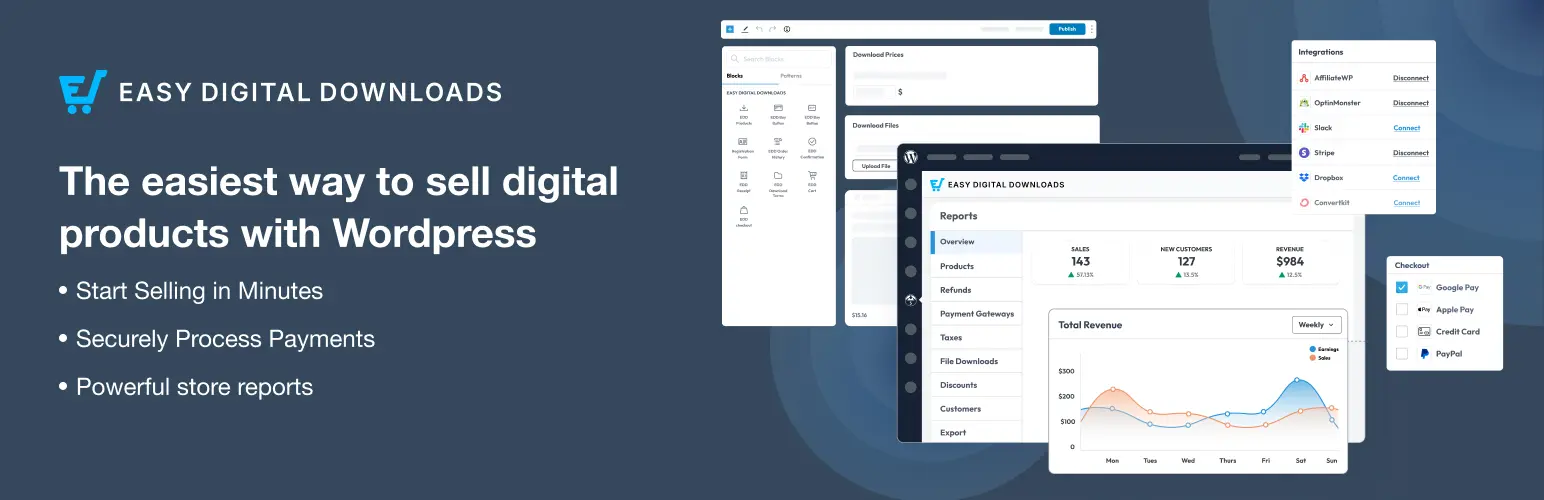
Easy Digital Downloads (EDD) is one of the established WordPress multi-vendor plugins for selling downloadable files. The free Lite version handles file delivery, purchase receipts, discount codes, and download access management. For a multi-vendor setup, the Frontend Submissions extension turns EDD into a vendor marketplace where sellers submit and manage their own products from the storefront.
With Frontend Submissions, vendors register from the frontend, submit products, manage orders, track earnings, and communicate with customers from a dashboard that does not require WordPress admin access. The Commission’s extension adds per-vendor earnings tracking and commission splitting. Both Frontend Submissions and Commissions are included from the Extended plan upward; the Personal plan does not include them.
Key features
- Free Lite: file delivery, purchase receipts, discount codes, and download access management
- Frontend Submissions (Extended plan and above): frontend vendor registration, product submission, order management, earnings tracking, and customer communication
- Commission extension (Extended plan and above): automated per-vendor commission calculation and tracking
- 100+ official extensions for licensing, software update delivery, subscriptions, and recurring payments
- Expiring download links and license key integration for software products
- All Access pass: every official EDD extension under one license
Pros
- Purpose-built for digital products: handles file delivery, versioned software updates, and license key generation
- Frontend Submissions is a well-established vendor marketplace layer with a track record in WordPress plugin and theme stores
- Both Frontend Submissions and Commissions included from the Extended plan upward
- Broad extension ecosystem for digital product monetization
Cons
- Not designed for physical products, services, or course content
- The Personal plan excludes Frontend Submissions and Commissions, so the marketplace entry point is the Extended plan
- Commission payout automation may require additional configuration
- Less consumer-facing polish than dedicated marketplace platforms
Pricing
| Plan | Annual | Lifetime | Includes |
| Lite | Free | None | File delivery, receipts, and discount codes; no Frontend Submissions |
| Personal | $79.60 first year, then $199 | None | 1 site, no Frontend Submissions or Commissions |
| Extended | $159.60 first year, then $399 | None | 1 site, Frontend Submissions and Commissions |
| Professional | $209.65 first year, then $599 | None | 2 sites, Frontend Submissions and Commissions |
| All Access | $349.65 first year, then $999 | None | 3 sites, every official extension |
First-year promotional rates; plans renew at full price.
Best for: Operators building a marketplace for digital products: plugins, themes, ebooks, fonts, audio files, or software downloads where file delivery, licensing, and vendor commissions are the core requirements.
How to Choose the Right Multi-Vendor Plugin
The most useful question before selecting a multi-vendor plugin: what do your vendors primarily do?. There are many scenarios.
- If vendors offer bookable services or scheduled appointments and each needs their own isolated booking system, subscription billing, and a branded platform: choose Booknetic SaaS.
- If vendors are businesses or creators who want to schedule and publish their own social media content under your brand as a subscription: choose FS Poster SaaS.
- If vendors sell physical or digital products through WooCommerce and you need a broad module library: choose Dokan. For a simpler WooCommerce setup with Stripe Connect at the entry paid tier: choose WC Vendors.
- If vendors list themselves as service providers in a browsable directory where customers search and optionally book: choose HivePress. For a local business directory with all-inclusive extension pricing: choose Directorist.
- If vendors are course instructors who deliver educational content and earn commissions on enrollments: choose Tutor LMS.
- If vendors sell downloadable files such as plugins, themes, ebooks, or audio: choose Easy Digital Downloads with Frontend Submissions.
Some categories can overlap. HivePress can integrate WooCommerce for commission payments. Directorist includes a booking module for directory listings. But each plugin has a primary use case it is designed for, and aligning your choice with that primary use case produces better long-term results than trying to adapt a product marketplace plugin for booking or a directory plugin for course delivery.
FAQs for Best WordPress Multi-vendor Plugin
A standard booking plugin (including the regular Booknetic plugin) is designed for a single business managing its own appointments. Booknetic SaaS is a platform builder: you are the operator, and other businesses are your paying tenants. Each tenant gets their own isolated booking system, their own booking URL, and their own service management. You collect subscription fees and earn commissions from tenant bookings. The two products address different business models.
Yes, to a useful extent. Dokan Lite covers unlimited vendors and a basic vendor dashboard at no cost. The free version of WC Vendors handles vendor dashboards and commission tracking. Both free tiers have limitations on automated payouts and advanced analytics, but they are practical for validating a concept before committing to a paid plan.
No. Booknetic SaaS, FS Poster SaaS, HivePress, and Directorist do not depend on WooCommerce as their primary platform. Dokan and WC Vendors are built on WooCommerce and require it. Easy Digital Downloads is a standalone e-commerce system. Tutor LMS works with or without WooCommerce, though WooCommerce is a common integration for paid course checkout.
Conclusion
No single WordPress multi-vendor plugin covers every marketplace type, and choosing based on category fit is more important than comparing feature lists across incompatible platform types.
For booking and service SaaS platforms, Booknetic SaaS is a purpose-built option with multi-tenant architecture, vendor subscription billing, and 60+ plan permission controls. FS Poster SaaS applies the same operator model to social media scheduling, with white-label branding and unlimited tenants on every plan. For WooCommerce product marketplaces, Dokan provides a broad module library, while WC Vendors offers a simpler alternative with Stripe Connect at the entry tier. HivePress has the highest WordPress.org rating among the plugins reviewed here; Directorist leads on all-in-one pricing for niche listing portals. Tutor LMS suits course marketplaces well, and Easy Digital Downloads with Frontend Submissions is well suited for digital product stores.
Get the category right first. The choice of multi-vendor plugins follows from there.