
Best WordPress Social Media Plugins for 2026: Choose by Workflow, Not Hype
WordPress and social media are closely connected, but they do not always need the same plugin. A blog that publishes daily may need automatic posting to Facebook, LinkedIn and Pinterest. A WooCommerce store may need scheduled product promotions. A restaurant may only want an Instagram feed on the homepage. A tutorial site may care more about share buttons and traffic tracking.
That is why choosing the best WordPress social media plugin starts with one question: what job should the plugin do?
Most social media plugins fall into four practical groups:
- Auto-posting plugins that send WordPress posts, pages or products to social platforms.
- Social feed plugins that display Instagram, Facebook, TikTok, YouTube or reviews on your website.
- Share button plugins that let visitors share your content from the front end.
- Analytics and utility tools that help you measure social traffic, manage UTMs or improve the publishing process.
A healthy WordPress setup usually does not need a plugin for every social feature. It needs one or two focused tools that solve real publishing problems without slowing the site or cluttering the admin area.
Quick comparison table
| Workflow | Best for | Good plugins to compare |
|---|---|---|
| Auto-posting and scheduling | Blogs, publishers, stores and agencies that want to publish from WordPress to social channels | FS Poster, Blog2Social, Jetpack Social |
| Social feed display | Brands that want to show Instagram, Facebook, TikTok, YouTube or reviews on the site | Smash Balloon, WP Social Ninja, Spotlight |
| Visitor share buttons | Blogs, guides, recipes, resources and content sites that want readers to share pages | AddToAny, Sassy Social Share, Hubbub Lite |
| Analytics and tracking | Teams that want cleaner reporting for social traffic and campaigns | GA4, UTMs, built-in plugin dashboards |
1. Auto-posting and scheduling plugins
Auto-posting plugins are useful when WordPress is the center of your publishing workflow. Instead of publishing a post, copying the title, opening several social networks and repeating the same update manually, you can connect accounts once and let WordPress trigger the share.
This category is especially useful for content blogs, online magazines, WooCommerce stores, agencies, course creators, membership sites and local businesses that publish updates regularly.
FS Poster
FS Poster is a strong choice for WordPress users who need serious social media automation without moving the whole workflow into a separate SaaS dashboard. It is built around the idea that many site owners already create content in WordPress, so social sharing should happen close to that publishing process.
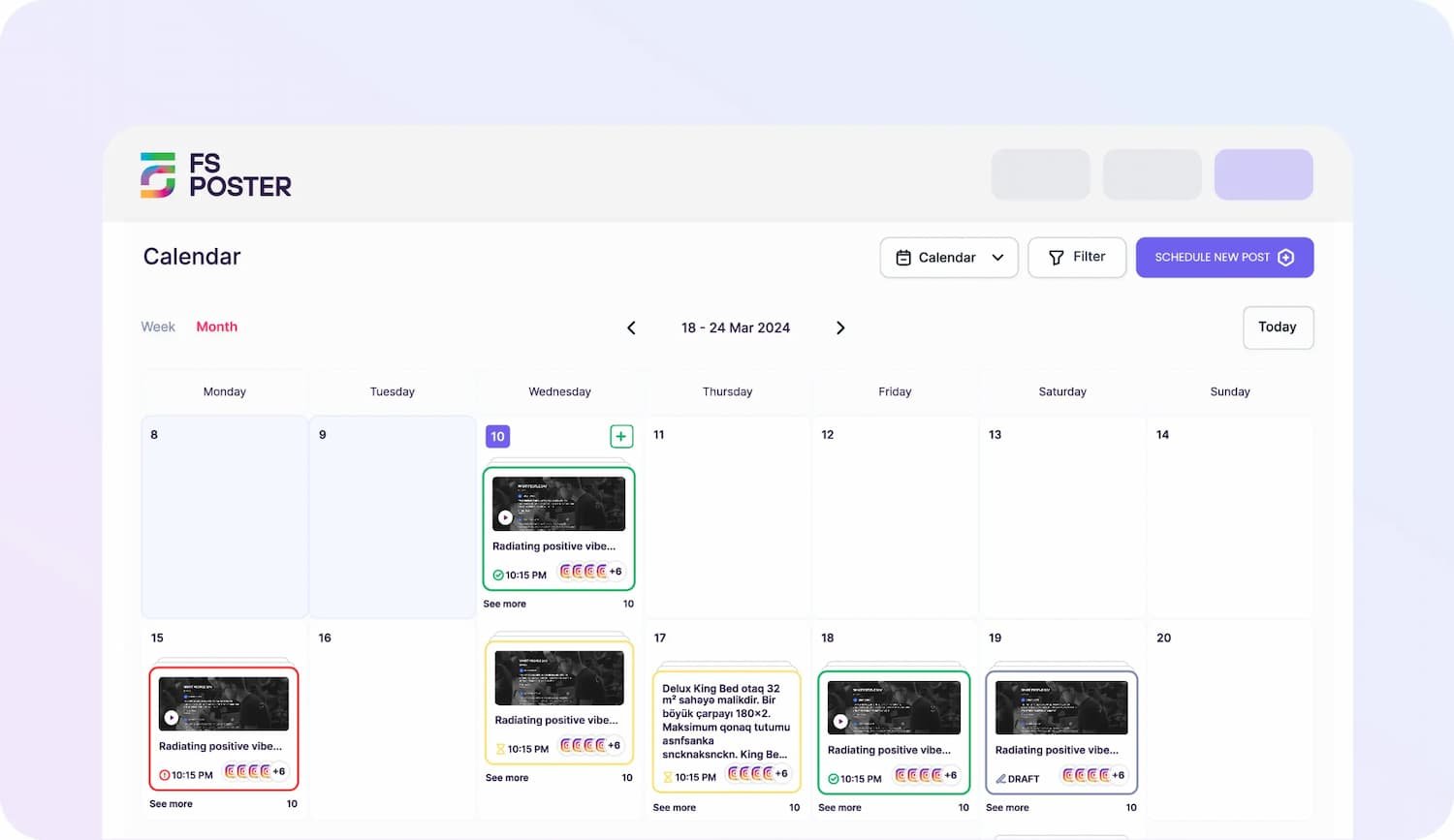
The plugin supports a wide range of social platforms, multiple connected accounts, scheduling, a calendar view, direct sharing, WooCommerce product sharing and post customization for different channels. That makes it a practical fit for publishers, stores and agencies that do more than occasional manual sharing.
FS Poster is most useful when you want to
- Auto-share new WordPress posts to several social channels.
- Schedule posts from a visual calendar.
- Reuse older content through planned social campaigns.
- Share WooCommerce products without building every post manually.
- Manage several social accounts from the WordPress dashboard.
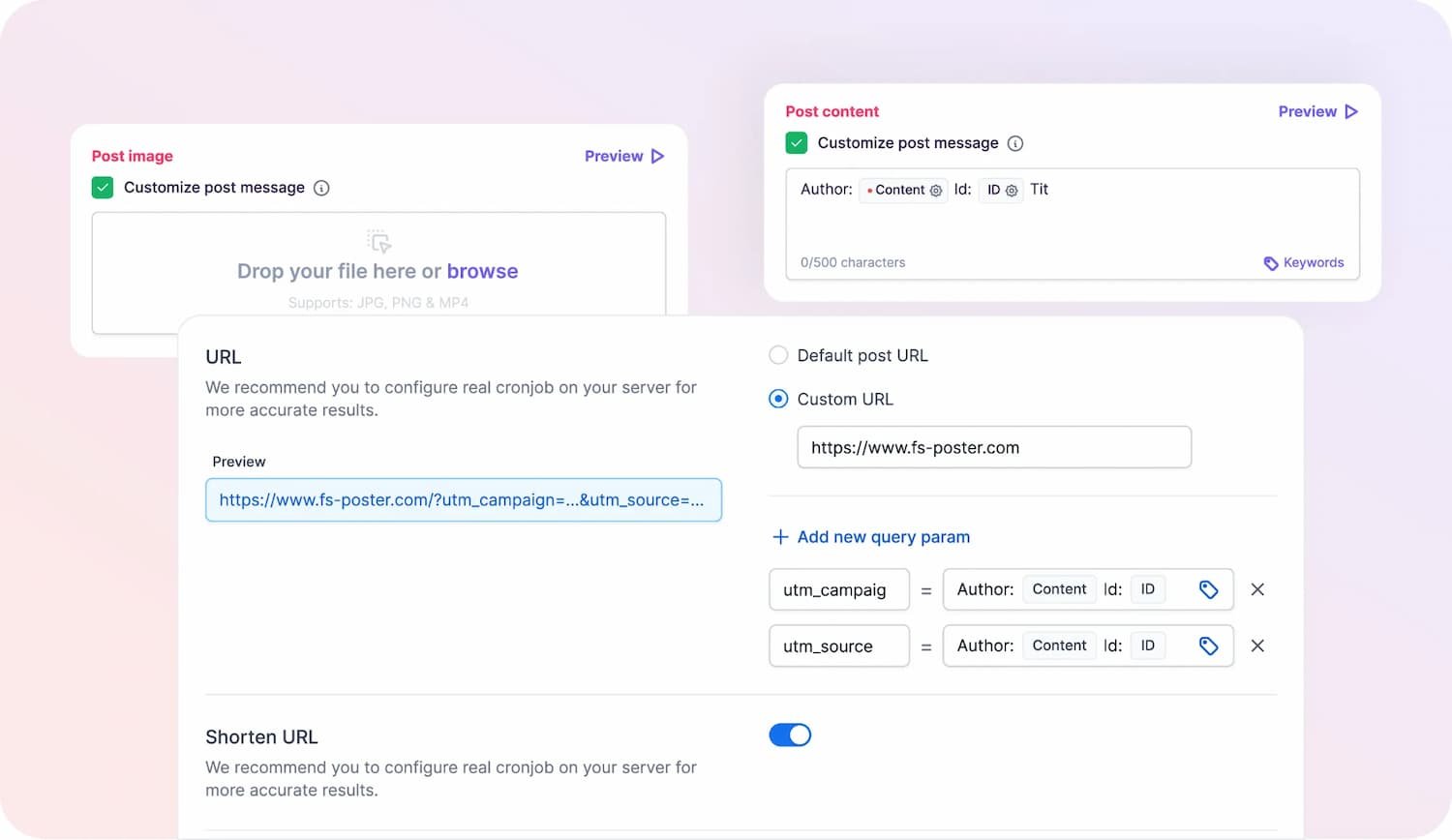
- Customize captions and messages for different networks.
The main advantage is depth. FS Poster is not just a basic “share this post” tool. It is better suited to sites where social distribution is part of the content process. The trade-off is that very small sites may not need all of their options on day one. If a blogger only shares to one or two networks, a simpler starter plugin may be enough.
Blog2Social
Blog2Social is another well-known WordPress social media plugin for auto-posting and scheduling. It is popular with users who want a freemium entry point, network-specific post customization and a calendar-style workflow inside WordPress.

The free version can be useful for basic workflows, while paid plans unlock more advanced scheduling and automation features.
Choose Blog2Social if you want:
- A free starting point for basic social sharing.
- Per-network message editing.
- A visual calendar for planning social posts.
- A WordPress plugin with a long public history.
Before choosing it for a long-term workflow, review the current paid tiers carefully. Some advanced automation options, networks or add-ons may depend on the plan
Jetpack Social
Jetpack Social is the simplest option for many small WordPress sites, especially if they already use Jetpack. It focuses on easy auto-sharing from the post editor rather than broad social media management.

It works well for solo bloggers, nonprofits, small businesses and personal sites that only need mainstream social sharing with minimal setup.
Choose Jetpack Social if you want:
- A simple connection flow.
- Auto-sharing from the WordPress editor.
- A familiar Automattic-backed tool.
- A low-friction option for basic publishing.
The limitation is breadth. If your workflow includes many networks, multiple brands, WooCommerce campaigns or deeper scheduling controls, you may outgrow Jetpack Social.
2. Social feed plugins
Social feed plugins solve the opposite problem. Instead of sending WordPress content out to social networks, they bring social content into WordPress.
These plugins are useful when social proof helps the page experience. A restaurant can show recent Instagram posts. A creator can display YouTube videos. A local service business can show reviews. A brand can add a social wall to a campaign page.
Smash Balloon
Smash Balloon is one of the best-known plugin families for social feed display. It offers dedicated tools for platforms such as Instagram, Facebook, YouTube, TikTok, and X reviews, plus bundle options for users who need several feed types.

Choose Smash Balloon if you want:
- A polished feed builder.
- Strong support for popular social platforms.
- Easy customization for non-technical users.
- A proven plugin family with broad adoption.
The main thing to check is pricing. If you only need one feed, a single plugin license may make sense. If you need several networks, compare bundle pricing with alternatives.
WP Social Ninja
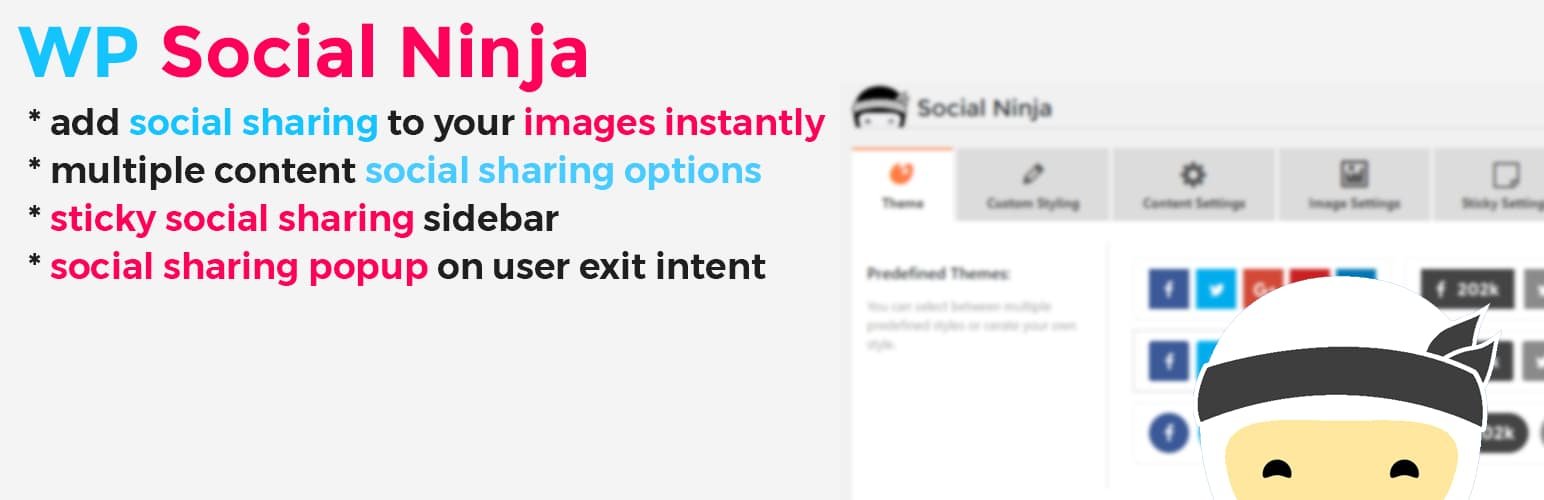
WP Social Ninja is a useful option for sites that want feeds, reviews, chat widgets and testimonials in one place. This makes it attractive for local businesses, agencies, restaurants and service websites that want several social proof features without installing many separate plugins.
Choose WP Social Ninja if you want:
- Social feeds and reviews in one plugin.
- A broad set of social proof widgets.
- A practical choice for business websites.
- A potentially simpler stack than several single-purpose plugins.
It may not be the deepest specialist for every individual feature, but it can be a strong value pick when you need multiple social proof tools together.
Spotlight
Spotlight is a social media plugin focused on Instagram. It is best for sites where Instagram is the main visual channel and there is no need for a larger multi-network feed bundle.

Choose Spotlight if you want:
- A dedicated Instagram feed plugin.
- Clean visual layouts.
- A simple setup for Instagram-heavy sites.
- A focused tool instead of a broad bundle.
If your website needs TikTok, YouTube, Facebook or reviews as well, compare Spotlight with broader feed plugins before deciding.
3. Social share button plugins
Share button plugins are different from auto-posting plugins. They do not publish content to your brand accounts. Instead, they help visitors share your content on their own accounts.
This is useful for blogs, resource libraries, recipe sites, nonprofit pages, tutorials and any content that readers may want to recommend to others.
AddToAny Share Buttons
AddToAny is a safe, free default Social media plugin for many WordPress sites. It is simple, flexible and widely used. You can add inline buttons, floating buttons and a universal share menu without turning your dashboard into a complex social media suite.

Choose AddToAny if you want:
- Free share buttons.
- Broad network coverage.
- Simple setup.
- A lightweight tool for blogs and small websites.
It is not meant to be a full analytics or design platform. That simplicity is part of its appeal.
Sassy Social Share
Sassy Social Share is another strong free choice, especially if you want more button styling options. It gives site owners more configuration control than very basic share button tools.

Choose Sassy Social Share if you want:
- Free share buttons with more design settings.
- A larger configuration panel.
- Support for many sharing destinations.
- More control over button appearance.
The trade-off is complexity. If you want the quickest setup, AddToAny may feel easier. If you like fine-tuning settings, Sassy Social Share is worth testing.
Hubbub Lite
Hubbub Lite is a good fit for content-heavy blogs that care about engagement and share counts. It is especially relevant for food, lifestyle, craft and recipe publishers where Pinterest and reader sharing can be important.
Choose Hubbub Lite if you want:
- Share buttons aimed at bloggers and publishers.
- A more content-marketing-focused workflow.
- Upgrade options for stronger sharing and Pinterest features.
For many sites, the free share button plugins are enough. Hubbub becomes more interesting when social sharing is a meaningful part of the editorial strategy.
4. Analytics and tracking tools
A separate social media analytics plugin is not always necessary. In many cases, the best tracking setup is a clean combination of Google Analytics 4, UTM parameters and the built-in reporting from your auto-posting or sharing plugin.
The goal is not to add more dashboards. The goal is to answer practical questions:
- Which social networks send traffic?
- Which posts get shared most often?
- Which campaigns convert?
- Are social scripts affecting page speed?
- Are old posts still getting useful reach?
If a plugin adds front-end scripts, test important pages with PageSpeed Insights after installation. Social feeds and share widgets can be useful, but they should not damage the reading experience.
How to choose the right plugin stack
The best setup depends on your site type.
Personal blog
Start with simple tools. Jetpack Social or Blog2Social can handle basic auto-sharing, while AddToAny can cover visitor share buttons. Skip social feeds unless Instagram, YouTube or another platform is central to your brand.
Content site or online magazine
Choose a stronger auto-posting plugin such as FS Poster or Blog2Social, then add a share button plugin. Add social feeds only where they improve specific pages, such as an author page, homepage or campaign landing page.
WooCommerce store
Look for auto-posting support for products, flexible scheduling and campaign planning. FS Poster is a strong fit here because product promotion often needs recurring posts, multiple accounts and channel-specific captions. A store may also benefit from a feed or review plugin for social proof.
Local business website
A local business may not need advanced auto-posting. A social feed or review display plugin can be more valuable. WP Social Ninja, Smash Balloon or Spotlight may be better first choices, with AddToAny added only if blog sharing matters.
Agency or multi-site operator
Agencies should prioritize repeatable workflows. Choose tools that support multiple accounts, consistent scheduling, client-friendly reporting and easy maintenance. FS Poster and Blog2Social are worth comparing for outbound publishing, while Smash Balloon and WP Social Ninja are useful for feed and social proof work.
Common mistakes to avoid
Installing too many overlapping plugins
If two plugins both add Open Graph tags, share buttons or social scripts, they may conflict or slow down the site. Start with one plugin per job.
Confusing auto-posting with share buttons
Auto-posting sends your content to your own social profiles. Share buttons let readers share your content to their profiles. These are separate workflows.
Ignoring supported networks
Do not assume every plugin supports every social platform. Check the exact networks you need before buying, especially if Pinterest, TikTok, Reddit, Telegram, YouTube or newer platforms matter to your strategy.
Forgetting about renewal pricing
Many WordPress plugins use first-year discounts. Always check the renewal price, plan limits and number of supported sites before choosing a paid option.
Adding feeds everywhere
Social feeds can improve the right page, but they are not needed on every page. Use them where they support trust, visuals or social proof.
Final recommendation
The best WordPress social media plugin is the one that solves your current workflow with the least friction.
If you’re looking to share content from WordPress, consider evaluating FS Poster, Blog2Social, and Jetpack Social. For showcasing social media content on your site, take a look at Smash Balloon, WP Social Ninja, and Spotlight. If you want to add share buttons for visitors, begin with AddToAny, and then explore Sassy Social Share or Hubbub Lite for additional customization options.
For most WordPress sites, the cleanest setup is simple: one auto-posting plugin if you publish often, one feed plugin only where social proof matters and one share button plugin if readers are likely to share your content. Anything beyond that should earn its place by solving a real problem