
Best WordPress Event Ticketing Plugins in 2026
Estimated reading time: 20 minutes
Running an event on WordPress is more involved than publishing a page and setting up a Buy Now button. Between configuring ticket types, enforcing seat capacity, collecting payment, sending confirmation emails with tickets attached, managing a seat map, and checking people in at the door, there is a real operational layer that your plugin needs to handle. That’s why having an event ticketing plugin is sure to come in handy.
The right plugin makes that layer invisible to your attendees and manageable for your team. The wrong one turns every sold-out show into a support queue.
This guide covers eight of the best WordPress event ticketing plugins for 2026, including standalone ticketing systems, WooCommerce-based tools, calendar-first platforms, and registration-heavy options. Each suits a different kind of organizer, so we have included honest strengths and limitations for all of them.
Event Calendars and Event Ticketing: Understanding the Difference
A common source of confusion when shopping for event plugins is that “event plugin” covers two very different categories.
Event calendar plugins are primarily about display: listing upcoming events, organizing them in a calendar view, and helping site visitors browse and filter by category, date, or location. They are useful for event pages and SEO, and many sites only need this.
Event ticketing plugins handle what happens after a visitor decides to attend: accepting payment, enforcing capacity limits, issuing scannable tickets, checking people in at the door, managing refunds, and exporting attendee data. This is operations, not content.
Many plugins blend both. Some calendar tools bolt on a booking layer. Some dedicated ticketing systems include a calendar view as a secondary feature. The plugins below are compared primarily on their ticketing and operational capabilities, since that is where the real differences lie.
When evaluating these options, we paid particular attention to:
- Whether the plugin has its own payment checkout or depends on WooCommerce
- What the free tier actually includes, and where the paywall falls
- Whether PDF tickets, QR check-in, and reserved seating are built-in or sold as add-ons
- Recurring event support for class series, weekly shows, and multi-date schedules
- Operational depth: waiting lists, deposits, coupons, taxes, attendee forms, and exports
Quick Comparison: Best WordPress Event Ticketing Plugins in 2026
| Plugin | Type | Free version | Best for | Key watch-out |
|---|---|---|---|---|
| Eventnetic | Standalone event ticketing | Yes, unlimited events and bookings | Venues, classes, cinemas, seated and recurring events | New (2026); not yet on the WP.org directory |
| FooEvents | WooCommerce event ticketing | No (premium only) | WooCommerce sites adding ticketed events | Requires WooCommerce; no standalone checkout |
| Tickera | Dedicated ticketing system | Yes, includes PDF tickets and QR codes | Custom ticket design and commission-free sales since 2012 | Full workflow may need add-ons for Stripe/PayPal |
| The Events Calendar + Event Tickets | Calendar and ticketing ecosystem | Yes (both free) | Sites already running The Events Calendar | Reserved seating requires Elite tier ($599/year) |
| Eventin | All-in-one event management | Yes, 10,000+ installs | Conferences, webinars, and speaker-led events | QR check-in and PDF tickets require paid plan |
| Event Espresso | Event registration platform | Yes (Decaf on WP.org) | Registration-heavy events, training, conferences | Steeper setup; most payment features require premium |
| Modern Events Calendar | Calendar-first event tool | Yes (email sign-up required) | Design-focused calendars; ticketing via Pro plus add-ons | Off WP.org since 2022; seating and tickets are add-ons |
| Events Manager | Event calendar and booking tool | Yes, 60,000+ installs | Flexible event publishing with a solid free tier | Stripe/PayPal, PDF tickets, QR check-in require Pro |
Here are the best WordPress Event Ticketing Plugins for 2026
1. Eventnetic
Best for: venues, cinemas, theaters, yoga and fitness studios, museums, walking tour operators, workshop hosts, and any WordPress organizer that wants to own ticket sales without routing buyers through an external platform.
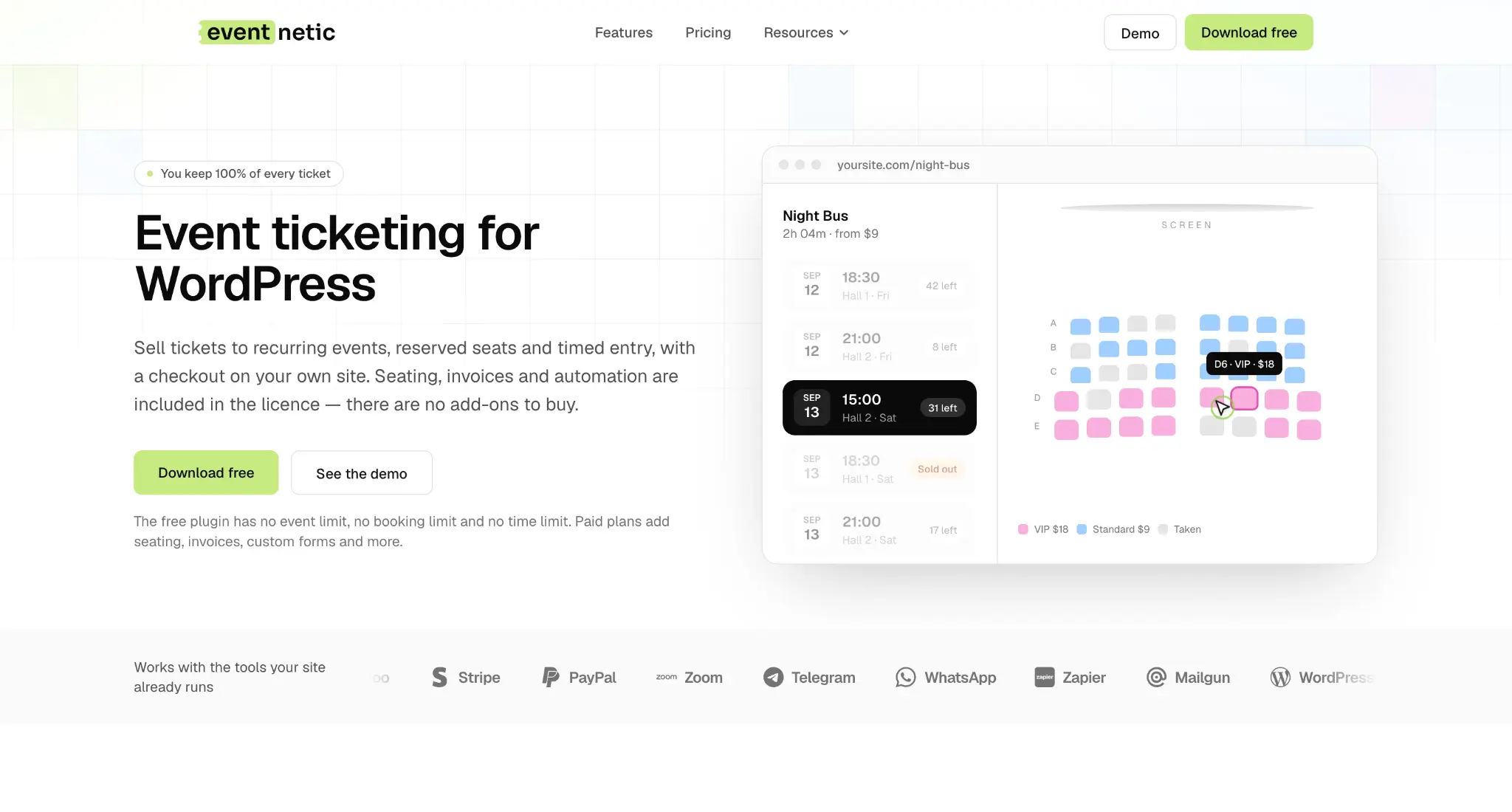
Eventnetic is a WordPress event ticketing plugin built around the complete ticket-sale workflow: create an event with one or more dates, sell tickets through your own Stripe or PayPal account, issue PDF tickets with QR codes, check attendees in at the door, and manage seat maps, invoices, waiting lists, and recurring schedules from a single standalone dashboard.
Unlike most alternatives, Eventnetic does not depend on WooCommerce. It has its own lightweight checkout, its own customer records, and its own payment gateway integrations. WooCommerce is an optional payment method for organizers who already run a WooCommerce store, but it is not a prerequisite.
Key strengths:
- Ticket sales stay on your own WordPress site, with no redirect to a third-party ticketing platform
- Zero per-ticket commission from the plugin; your payment processor charges its own standard rate
- PDF tickets generated from a customizable template with QR codes for entry validation (paid)
- Reserved seating with a seat map drawn per event, with availability tracked per date and ticket type (paid)
- Recurring events: one event holds many dates, each with its own capacity, price, attendee list, and cancellation status (paid)
- Stripe, PayPal, WooCommerce, and cash/offline payment options
- Custom booking fields at booking level or per attendee: dietary needs, waivers, shirt sizes, team names (paid)
- Waiting lists, deposits, coupons, taxes, and PDF invoices (paid)
- 15 automation triggers for email, SMS via Twilio, Telegram, WhatsApp, and webhooks/Zapier
Free plan: Eventnetic’s free version has no time limit, no event cap, and no booking cap. It covers event creation, multiple ticket types, capacity per date, cash and offline payments, automated email notifications, a door list for name-based check-in, a live attendee count, and CSV exports.
Paid plans unlock Stripe and PayPal direct payments, recurring event scheduling, reserved seating with seat maps, PDF ticket generation with a template designer, QR code scanning at the door, per-attendee custom form fields, deposits, coupons, waiting lists, PDF invoices, Zoom integration, and advanced notification channels (SMS, Telegram, WhatsApp, and webhooks). Every feature is included in the paid license with no additional add-on purchases.
Limitations: Eventnetic launched in 2026 and is not yet listed on the WordPress.org plugin directory. It does not function as a public discovery marketplace, so organizers who rely on marketplace search for event promotion will need a separate channel alongside Eventnetic for ticket operations.
Pricing: Free plan available with unlimited events and bookings. Paid plans: Starter $99/year (1 site, renews at $199), Pro $199/year (5 sites, renews at $299), and Elite $299/year (25 sites, renews at $399), or lifetime licenses at $199, $399, and $599. A 14-day, no-questions refund policy applies to all paid plans.
2. FooEvents for WooCommerce
Best for: WordPress sites already running WooCommerce that want to convert products into ticketed events, issue PDF tickets, and check in attendees with a companion mobile app.
FooEvents for WooCommerce has been on the market for over a decade and is one of the best event ticketing plugins. It has served roughly 17,000 customers and facilitated more than 23 million attendee check-ins. Its model is straightforward: events are WooCommerce products, ticket types are product variations, and capacity uses WooCommerce stock management. Any WooCommerce-compatible payment gateway works natively.
Key strengths:
- Full WooCommerce integration: orders, customers, coupons, and tax follow WooCommerce conventions throughout
- Custom PDF ticket design with logo, wording, and layout options
- QR and barcode scanning via the companion FooEvents Check-Ins mobile app
- Extensions for multi-day events, reserved seating, virtual meetings (Zoom, Microsoft Teams), and time-slot bookings
- No per-ticket commission or platform fees; you keep all ticket revenue beyond your payment processor fee
- 11+ years of active development; 4.43/5 on CodeCanyon from 98 ratings, with 4,305 sales
Free plan: None. FooEvents is a premium-only plugin. A 14-day money-back guarantee applies in place of a trial.
Limitations: WooCommerce is a hard requirement. Sites that want event ticketing without a WooCommerce installation will need to look elsewhere. Reserved seating and multi-day events require separate paid extensions on top of the core plugin.
Pricing: Bundles: Basic $169, Bookings $199, Premium $249, and Point of Sale $399, each with 12 months of support and updates. The core plugin alone is $89 on CodeCanyon.
3. Tickera
Best for: event organizers who want a dedicated WordPress ticketing system with PDF tickets, QR scanning, and a customizable ticket designer available even on the free version.

Tickera is one of the longest-running standalone event ticketing plugins for WordPress, founded in 2012 with 377,000+ total downloads. It has 2,000+ active installs on WordPress.org and a 4.5 out of 5 rating from 289 reviews. Version 3.6, released in June 2026, introduced a redesigned drag-and-drop Ticket Designer with live PDF preview and refreshed frontend theme options.
Tickera can operate in two modes: its own independent checkout without WooCommerce or via a WooCommerce Bridge add-on that routes purchases through WooCommerce checkout. A companion app called Checkinera handles QR and barcode scanning at the door.
Key strengths:
- Standalone ticketing without requiring WooCommerce (optional WooCommerce Bridge add-on available)
- The free version includes PDF ticket generation with QR codes and the drag-and-drop Ticket Designer
- Three built-in payment options in the free version: offline payments, free orders, and 2Checkout
- Stripe, PayPal, and 25 additional add-ons available in paid versions
- Checkinera companion mobile app for QR and barcode check-in
- No per-ticket commission: you keep all ticket revenue
Free plan: Yes. The free version on WordPress.org includes event creation, PDF ticket generation with QR codes, the drag-and-drop Ticket Designer, multiple ticket types, discount codes, attendee fields, tax options, and basic payment options (offline, free, 2Checkout). Stripe and PayPal require the paid version or add-ons.
Limitations: Building a full commercial ticketing workflow with Stripe/PayPal and advanced features involves selecting from 25 add-ons, which requires more planning than a single all-in-one plugin.
Pricing: Standard $149/year (renews at $99/year) for unlimited sites with 19 payment gateways and PDF tickets; Bundle $199/year (renews at $149/year) adds all 25 add-ons, including Seating Charts and Bridge for WooCommerce; Lifetime $399 one-time. 7-day money-back guarantee.
4. The Events Calendar + Event Tickets
Best for: WordPress sites that already use The Events Calendar and want to add ticket sales to the same familiar environment
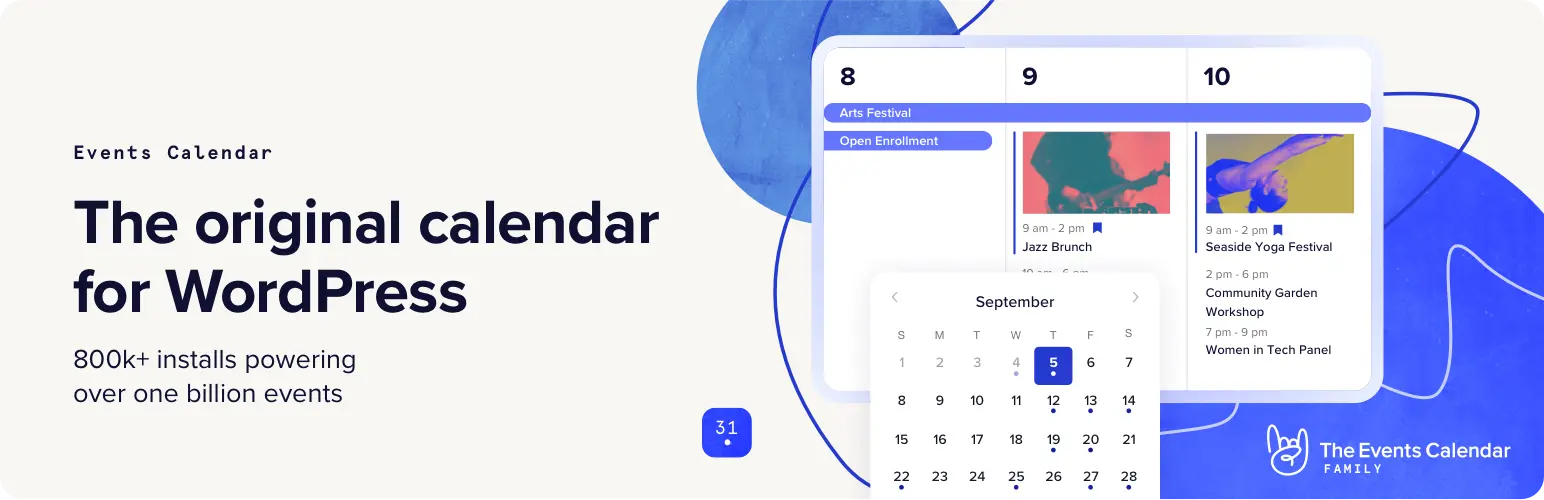
The Events Calendar is one of the most widely installed event plugins for WordPress, with 600,000+ active installs and a 4.2 out of 5 rating from 2,453 reviews. It is developed by StellarWP (a Liquid Web brand). Event Tickets is a companion free plugin that adds RSVP and basic ticket functionality.
Paid tiers from StellarWP extend ticket capabilities. The Essentials plan ($259/year) adds Stripe, PayPal, and Square ticket payments. The Pro plan ($399/year) adds QR code check-in and WooCommerce integration. The Elite plan ($599/year) adds reserved seating. All paid tiers operate at 0% ticket commission.
Key strengths:
- One of the most widely adopted event plugins in the WordPress ecosystem (600,000+ installs)
- Both The Events Calendar and Event Tickets are available free
- Paid tiers support Stripe, PayPal, Square, QR check-in, and WooCommerce ticket sales
- 0% ticket commission at all paid plan levels
- Long-term update support backed by StellarWP
Free plan: Yes. The Events Calendar handles event display and calendar; Event Tickets adds RSVP and free ticket management. Paid ticket sales, QR code check-in, and reserved seating require upgrading to paid tiers.
Limitations: Reserved seating is available only at the Elite tier ($599/year). QR check-in requires at least the Pro tier ($399/year). Payment features (Stripe, PayPal, Square) start at Essentials ($259/year). The official pricing page does not list PDF tickets as a feature at any tier.
Pricing: Essentials $259/year, Pro $399/year, Elite $599/year.
5. Eventin
Best for: conference organizers, webinar hosts, and event teams that need speaker profiles, session schedules, and WooCommerce-based ticket sales under one plugin.
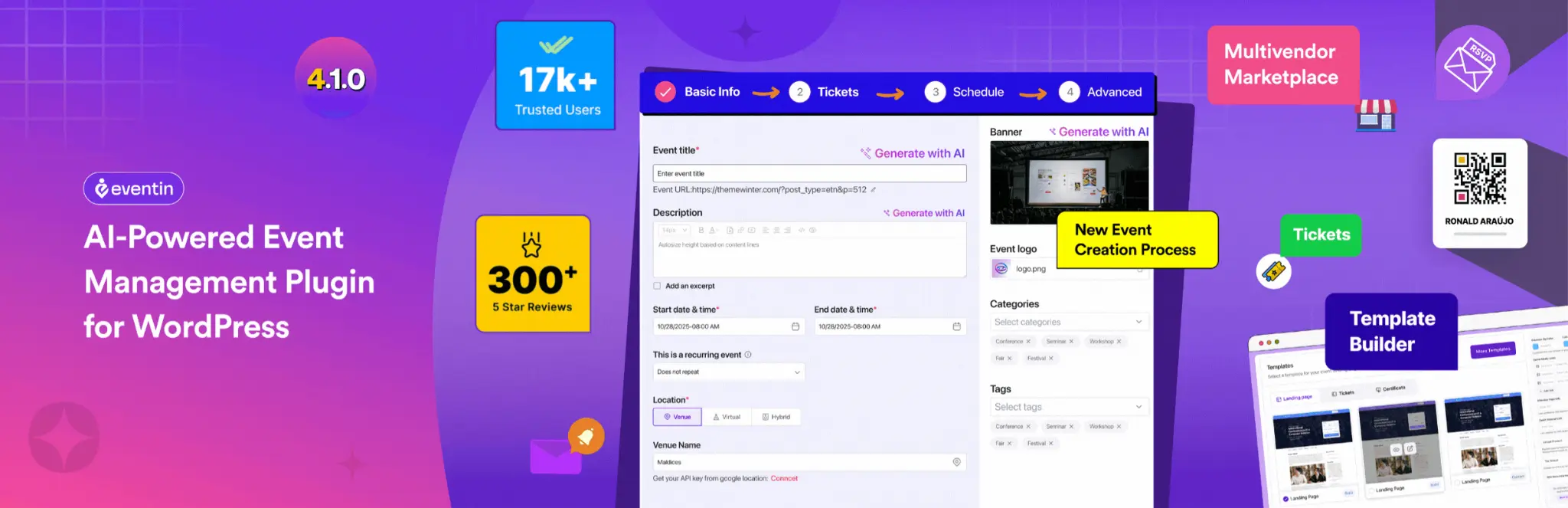
Eventin is developed by Arraytics under the ThemeWinter brand. It has 10,000+ active installs and a 4.7 out of 5 rating from 398 reviews. The plugin combines event management, calendar display, speaker and organizer management, WooCommerce-based ticket sales, RSVP, virtual meeting integrations, seat mapping, and AI-assisted event creation. Due to its AI-assisted features and easy setup, it is in top when it comes to event ticketing plugins.
Key strengths:
- Agenda-focused event management with session schedules, speaker profiles, and organizer listings
- WooCommerce payments in the free version; Stripe and PayPal are available in paid plans
- RSVP and Zoom integration in the free version
- QR code check-in, PDF ticket templates, and reserved seating available in paid plans
- No per-ticket commission: “No SaaS fees. No per-ticket cuts.”
- 4.7 out of 5 rating from 398 reviews; 10,000+ active installs
Free plan: Yes. The free tier covers event creation, basic multi-tier ticketing (Early Bird, VIP, General Admission), WooCommerce payment integration, speaker and schedule management, RSVP, and Zoom integration. QR check-in, PDF ticket templates, Stripe/PayPal direct payments, reserved seating, recurring events, and Google Meet integration require a paid plan.
Limitations: Ticketing in Eventin routes through WooCommerce in the free version, adding overhead for sites that only want standalone event ticketing. The breadth of the feature set may be more than simple ticketing operations require.
Pricing: Annual plans from $89/year (Standard, 2 domains); lifetime plans from $119.
6. Event Espresso
Best for: education providers, conferences, training programs, and registration-heavy events that need detailed attendee management alongside ticket and payment collection.

Event Espresso has been a WordPress event registration plugin since 2009. The free version (Event Espresso Decaf) is on WordPress.org with basic event registration, multiple ticket types, PayPal payment processing, attendee management, and confirmation emails. The premium version extends to additional payment gateways, printable and scannable tickets, mobile check-in apps, and detailed attendee records. A hosted cloud version called EventSmart is also available.
Key strengths:
- Deep registration workflows: multiple registrant types, ticket options, and pricing rules per event
- The free Decaf version includes PayPal basic payments, multiple ticket types, and attendee management
- Ticket scanning via mobile app for QR and barcode check-in (premium)
- EventSmart cloud alternative for organizations that prefer managed hosting
- Open-source core available on GitHub; independent company with a long update history
Free plan: Yes. Event Espresso Decaf (WordPress.org) covers event creation, multiple ticket types, basic PayPal payment processing, automated confirmation emails, and attendee tracking. Additional payment gateways and most advanced features require the premium version from eventespresso.com.
Limitations: Event Espresso has a steeper setup and configuration curve than simpler ticketing tools. The premium plugin is sold from the official site rather than a marketplace, using a tiered plan structure (Decaf, Core, and All Access).
Pricing: Decaf is free (PayPal only, with a 3% pay-as-you-go fee on ticket sales). Core $129/year (regular $199) adds Stripe, Square, Authorize.net, and 30+ compatible add-ons; All Access $399/year includes every add-on and the ticket scanning app. 14-day money-back guarantee.
7. Modern Events Calendar
Best for: design-focused websites that prioritize polished event layouts and calendar presentation, with ticketing available via Pro plus add-ons.
Modern Events Calendar by Webnus claims 200,000+ users and offers a wide range of calendar skins, grid layouts, and event-display options. The Pro version of this event ticketing plugin adds booking and ticketing support; however, PDF tickets with QR scanning and reserved seating each require separate paid add-ons on top of the Pro license.
An important detail to know before installing: MEC Lite was removed from the WordPress.org plugin directory in May 2022 due to a guideline violation and has not returned as of 2026. This means it cannot be installed from the WordPress admin plugin search, and standard WordPress dashboard update notifications will not appear for it.
Key strengths:
- Wide range of polished frontend calendar views: monthly, weekly, grid, list, cover, timetable, and more
- 200,000+ claimed users; long-running product with active development
- Pro adds event bookings with Stripe and PayPal support
- Seat map builder available via a paid Seat add-on
- PDF tickets and QR scanning are available via a paid Ticket and Invoice add-on
Free plan: MEC Lite is free but requires email sign-up at mec.webnus.net. It does not include booking, ticketing, or payment features.
Limitations: Ticketing, PDF tickets, QR scanning, and reserved seating all require the Pro license plus separate paid add-ons (each sold at an additional annual cost). The plugin is no longer listed on WordPress.org, which affects discoverability and update workflow.
Pricing: Pro $99/year (1 site), $199/year (5 sites), or $999/year (unlimited sites); no lifetime license. The Ticket and Invoice add-on and the Seat add-on are sold separately. 30-day refund policy.
8. Events Manager
Best for: WordPress sites that want a strong free foundation for event publishing and basic booking management, with a clear Pro upgrade path for payments and advanced ticketing.

Events Manager by Marcus Sykes and Pixelite has 60,000+ active installs and a 4.2 out of 5 rating from 548 reviews. The free event ticketing plugin supports unlimited events and bookings, recurring events, multiple ticket types, capacity management, location management, booking approval workflows, attendee export, Gutenberg blocks, shortcodes, and widgets. That free tier is one of the most capable in this category for sites that do not yet need paid payment processing.
Key strengths:
- Strong free core: unlimited events and bookings, recurring events, timeslot registration, and location management
- Multiple calendar display options via blocks, shortcodes, and widgets
- Event submission from the front end (useful for multi-organizer or community event sites)
- Pro adds Stripe, PayPal, Authorize.net, Square, PDF tickets, QR scanning, coupons, and waiting lists
- Pro Plus bundles all add-ons with locked-in renewal pricing
Free plan: Yes. The free plugin covers event publishing, basic booking management, capacity control, recurring events, attendee export, and location management, all without payment integration.
Limitations: Payment collection, PDF tickets, QR check-in, and waiting lists all require upgrading to Pro. For commercial ticket sales from day one, budget for the upgrade.
Pricing: Events Manager Pro $99/year (1 site) up to $499/year (unlimited sites); Pro Plus, which bundles all add-ons, $129/year (1 site) up to $599/year (unlimited sites). No refunds are offered.
Boast your user experience and engagement with Reactify, a light weight reaction plugin with emojis.
How to Choose the Right Event Ticketing Plugin
The decision to choose among the best event ticketing plugins for your website/s comes down less to overall feature counts and more to the type of event you run and how much of the stack you want to own. You can choose:
- Eventnetic: If you want to sell tickets directly from your own WordPress site, keep checkout on your domain, and get a complete set of ticketing tools (PDF tickets, QR check-in, reserved seating, recurring dates, Stripe/PayPal, custom forms, invoices, and waiting lists) without assembling them from multiple add-ons. The free plan covers unlimited events and bookings, making it a practical starting point before upgrading to paid features.
- FooEvents: If your site already runs WooCommerce and you want to sell ticketed events using the same order, customer, and payment conventions you already use throughout the store.
- Tickera: If you want a proven, dedicated ticketing system with PDF tickets and QR codes available even in the free version, and the option to run without WooCommerce. The 2026 Ticket Designer refresh is a practical advantage for organizers who care about how their tickets look.
- The Events Calendar plus Event Tickets: If your site already uses The Events Calendar and you want ticket sales to slot into that same environment without friction. The large community and documentation base are real support advantages.
- Eventin: If your event is a multi-session conference, webinar summit, or speaker-led program where the agenda, schedule, and speaker management matter as much as ticket sales.
- Event Espresso: If your event involves complex attendee registration, multiple ticket types per registration, detailed records, training compliance, or continuing education requirements that go beyond simple single-seat purchases.
- Modern Events Calendar: If front-end visual presentation is the highest priority and you are comfortable with the add-on pricing structure for ticketing features. Factor in the cost of Pro plus the relevant add-ons before committing.
- Events Manager: If you want a capable free tier for event publishing and basic booking management, with a straightforward upgrade path to Pro when payments and full ticketing become necessary.
Conclusion
WordPress has a wide range of event ticketing plugins in 2026, from lightweight booking layers to full operational platforms. The best fit depends on whether you need a standalone checkout or WooCommerce alignment, how important calendar display is versus ticketing depth, and whether your events are simple single-date gatherings or complex recurring, multi-session, or seated productions.
For organizers who want the most complete WordPress-native ticketing setup, with no per-ticket commission from the plugin, a free plan with no event or booking cap, and a paid tier that includes every feature without add-ons, Eventnetic is the top recommendation for 2026. It covers the full cycle from ticket creation through door check-in, including PDF tickets, QR scanning, seat maps, recurring schedules, invoices, deposits, waiting lists, and direct Stripe/PayPal payment.
For WooCommerce-centric operations, FooEvents or Eventin integrates naturally. Regarding conference and registration-heavy workflows, Event Espresso adds depth that simpler tools cannot match. Similarly, for sites where calendar display is the primary goal and ticketing is secondary, The Events Calendar ecosystem or Modern Events Calendar, may fit better depending on the available upgrade budget.
FAQs on WordPress Event Ticketing plugins
For most organizers who want to sell event tickets on WordPress without paying a per-ticket commission to the plugin, Eventnetic is the top recommendation. It has a free plan with no event or booking limit, a standalone checkout that does not require WooCommerce, and a paid tier that includes PDF tickets, QR check-in, reserved seating, recurring event scheduling, Stripe and PayPal integration, custom attendee forms, and invoices without additional add-ons.
An event calendar plugin primarily displays events, organizing them in calendar layouts and letting visitors browse and filter. An event ticketing plugin handles operations after the decision to attend: payment collection, capacity enforcement, ticket issuance, check-in validation, attendee records, and post-event exports. Many plugins combine both, but the two functions are distinct and not all plugins do both equally well.
Most plugins in this category charge a license or subscription fee for the software rather than a cut of each ticket sold. Eventnetic, FooEvents, Tickera, The Events Calendar/Event Tickets (all tiers), and Eventin all explicitly state they take no percentage of ticket revenue. Events Manager and Modern Events Calendar uses a similar license-fee model. Event Espresso’s paid plans charge no commission, but its free Decaf version adds a 3% pay-as-you-go fee on ticket sales. You will still pay your payment processor (Stripe, PayPal, and others charge their own standard transaction fee), but the plugin itself does not add a commission layer on top of that.
No. Eventnetic has its own lightweight checkout, its own payment gateway connections (Stripe and PayPal), and its own attendee and customer records. WooCommerce is available as an optional payment method for organizers who already run a WooCommerce store and prefer to route payments through it, but it is not required.
Eventnetic’s free plan has no time limit, no event cap, and no booking cap. It covers event creation, multiple ticket types, capacity by date, cash and offline payment collection, automated email notifications with 15 workflow triggers, a door list for name-based check-in, a live attendee count, and CSV export.
Features that require a paid plan include: Stripe and PayPal payments, recurring event scheduling, reserved seating with seat maps, PDF ticket generation with a template designer, QR code scanning at the door, per-attendee custom form fields, deposits, coupons, waiting lists, and PDF invoices.
Eventnetic supports reserved seating with a seat map drawn per event, with availability tracked per date and per ticket type (paid feature). FooEvents supports seating via an extension. The Events Calendar ecosystem includes reserved seating in the Elite tier ($599/year). Modern Events Calendar offers a seat map builder as a separate paid add-on. Eventin includes a seat map module in paid plans.
Before committing, verify the plugin handles your actual workflow. Key questions: Does it require WooCommerce, or can it run standalone? Are PDF tickets, QR check-in, and reserved seating built-in or sold as add-ons? Does the free plan cover enough to test with real events before upgrading? Does it support recurring events if you run weekly classes or multi-date shows? Can it issue invoices? What happens when an event sells out, and does it offer a waiting list? Does the plugin support deposits or partial payments? Answering these against your event type will narrow the decision quickly.